
Run Powerful AI Coding Assistants Locally — Completely Free
Using Ollama & Open-Source Models

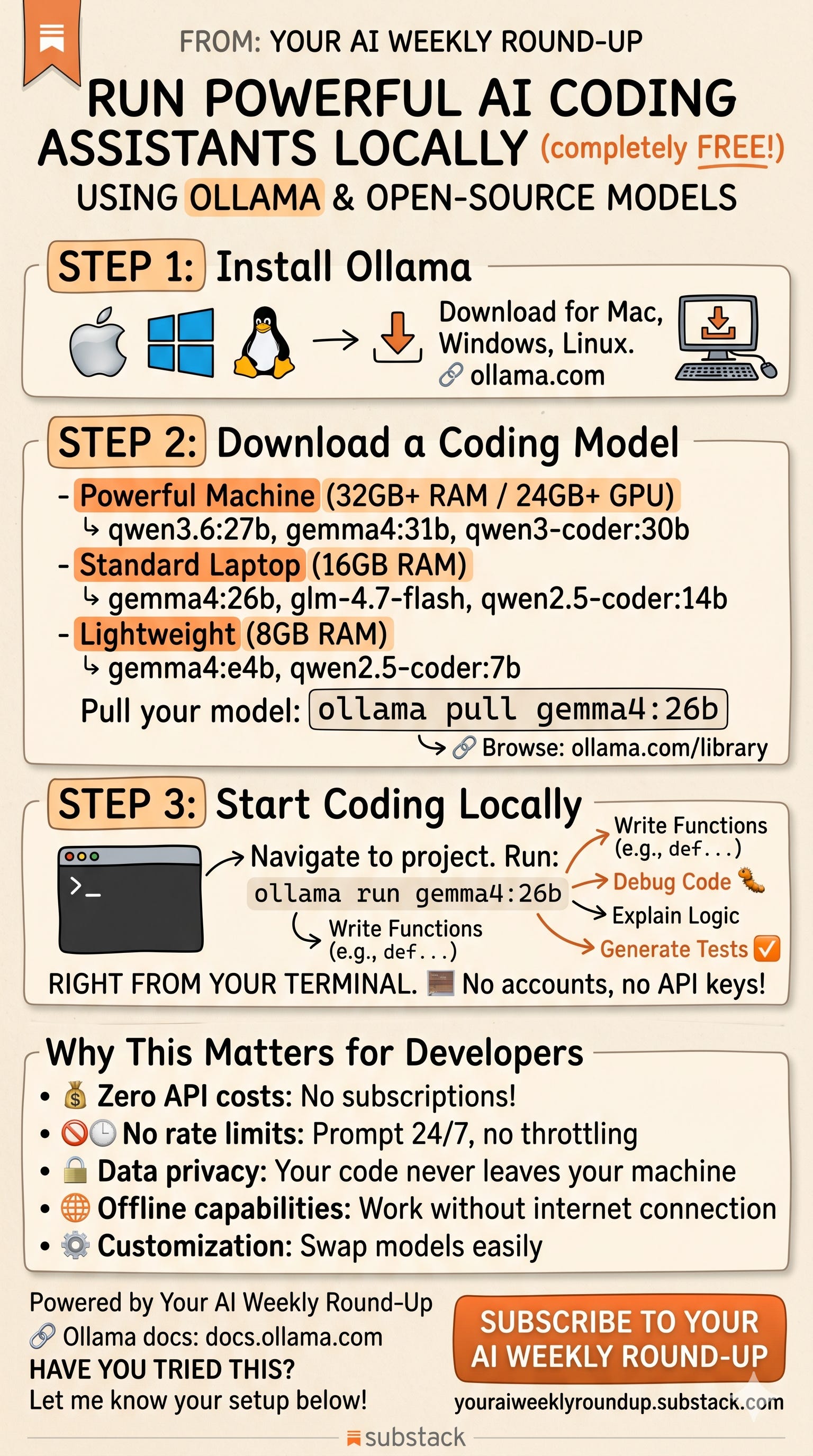
You don’t need a $20/month subscription or API credits to get a powerful AI coding assistant. In 2026, the best open-source models run locally on your own hardware — no cloud, no accounts, no rate limits.
Here’s how to set it up in under 10 minutes.
Why Go Local?
Before we get into the steps, here’s why this matters:
Most developers using AI coding tools are paying for API access or subscriptions. Every prompt costs money, your code gets sent to external servers, and when rate limits hit mid-session, your workflow breaks.
Running models locally flips all of that. Your code never leaves your machine. There are no usage fees. You can run prompts 24/7 without throttling. And if your internet goes down, everything still works.
The catch used to be quality — local models couldn’t compete with cloud APIs. That’s no longer true. Models like Qwen 3.6 and Gemma 4 now perform competitively on coding benchmarks while running on consumer hardware. Not identical to frontier models, but good enough for the vast majority of day-to-day coding tasks.
Step 1: Install Ollama
Ollama is a lightweight tool that lets you download and run AI models locally on Mac, Windows, and Linux. Think of it as Docker, but for language models.
Download it here:
https://ollama.com
Installation is straightforward — on Mac and Windows it’s a standard installer, on Linux it’s a one-line curl command:
curl -fsSL https://ollama.com/install.sh | shThat’s it. No Python environments, no dependency hell.
Step 2: Download a Coding Model
This is where you pick the model that matches your hardware. Here’s my recommendation based on what you’re working with:
Powerful Machine (32GB+ RAM / 24GB+ GPU VRAM)
These are your best options for near-cloud quality:
qwen3.6:27b — Alibaba’s latest, strong on agentic coding and reasoning
gemma4:31b — Google’s frontier-tier local model
qwen3-coder:30b — Purpose-built for coding tasks with long context support
Standard Laptop (16GB RAM)
Still very capable, just slightly smaller models:
gemma4:26b — Excellent all-around coding model
glm-4.7-flash — Optimized for speed with 128K context
qwen2.5-coder:14b — Battle-tested coding specialist
Lightweight (8GB RAM)
For older machines or when you want speed over depth:
gemma4:e4b — Google’s efficient edge model
qwen2.5-coder:7b — Surprisingly capable for its size
Pull any model with a single command:
ollama pull gemma4:26bThis downloads the model to your machine. It only needs to happen once — after that, it’s available offline forever.
Browse all available models: https://ollama.com/library
Step 3: Start Coding
Navigate to your project folder in the terminal and run:
ollama run gemma4:26bYou’re now in an interactive chat session with a local AI model. Ask it to:
Write functions and boilerplate code
Debug errors and explain stack traces
Explain unfamiliar code logic
Generate unit tests
Refactor and optimize existing code
Write documentation
No accounts. No API keys. No internet required.
What You Get vs. What You Don’t
Let me be honest about the tradeoffs so you can set realistic expectations.
What you get:
Zero cost after initial setup (aside from electricity)
Complete data privacy — nothing leaves your machine
No rate limits — run as many prompts as you want
Offline capability — works on planes, trains, anywhere
Model flexibility — swap models in seconds with
ollama run [model]
What you don’t get:
Frontier-level quality. Local models are good, sometimes very good, but they’re not Claude Opus or GPT-5. For most routine coding tasks the difference won’t matter. For complex architectural reasoning or massive codebases, you may still want a cloud model.
Instant responses. Depending on your hardware, expect a few seconds to a minute for responses. GPUs make a massive difference here — CPU-only inference is usable but noticeably slower.
Agentic capabilities out of the box. The
ollama runcommand gives you a chat interface. If you want the model to autonomously read files, run commands, and edit your codebase, you’ll need additional tooling on top (which is a topic for another post).
Hardware Reality Check
A quick guide on what to actually expect:
Apple Silicon Mac with 32GB+ unified memory — This is the sweet spot for local inference. Models like gemma4:26b run smoothly, and you get the benefit of fast memory bandwidth.
NVIDIA GPU with 16-24GB VRAM (RTX 3090/4090) — Excellent performance. Larger models fit entirely in VRAM for the fastest inference.
16GB RAM, no dedicated GPU — You can run 7B-8B models comfortably. Larger models will work but will be slow.
8GB RAM — Stick to the smallest models (gemma4:e4b, qwen2.5-coder:7b). It works, but temper your expectations.
The Bottom Line
The barrier to running AI coding assistants locally has effectively dropped to zero. Download Ollama, pull a model, and start coding. The whole setup takes less time than signing up for most API platforms.
The quality of open-source coding models has reached the point where, for everyday development work, the practical difference between local and cloud is smaller than most people assume. And the benefits — privacy, zero cost, no rate limits, offline access — are substantial.
Give it a try. You might find you don’t need that API subscription as much as you thought.
Links:
Ollama:
https://ollama.com
Ollama Model Library: https://ollama.com/library
Ollama Docs:
https://docs.ollama.com
If you found this useful, share it with your network. And subscribe to Your AI Weekly Round-Up for more insights on AI strategy and developer tools.